Book the space.
Coordinate the day.
Give employees one place to plan an office day, find an available desk or room and reserve shared resources. Give workplace teams clear booking rules and a record of what changed.
Plan your pilot5 business modules · scope and pricing agreed before setup
The work your team
can follow in Atria.
Bring office plans, reservations and resource availability into one employee experience. Choose the relevant workflows, then verify the roles, systems and outcomes in your pilot.
Desk booking
Availability, filters, floor plans, recurring reservations, check in, check out, conflict checks and booking rules.
What this helps you do
Replace spreadsheet seat allocation and repetitive availability messages.
Available actions
Check in; Check out; Cancel booking; Release unused booking; Reschedule.
Scope to check: No sensors, neighborhood optimization or automatic physical presence.
Meeting rooms
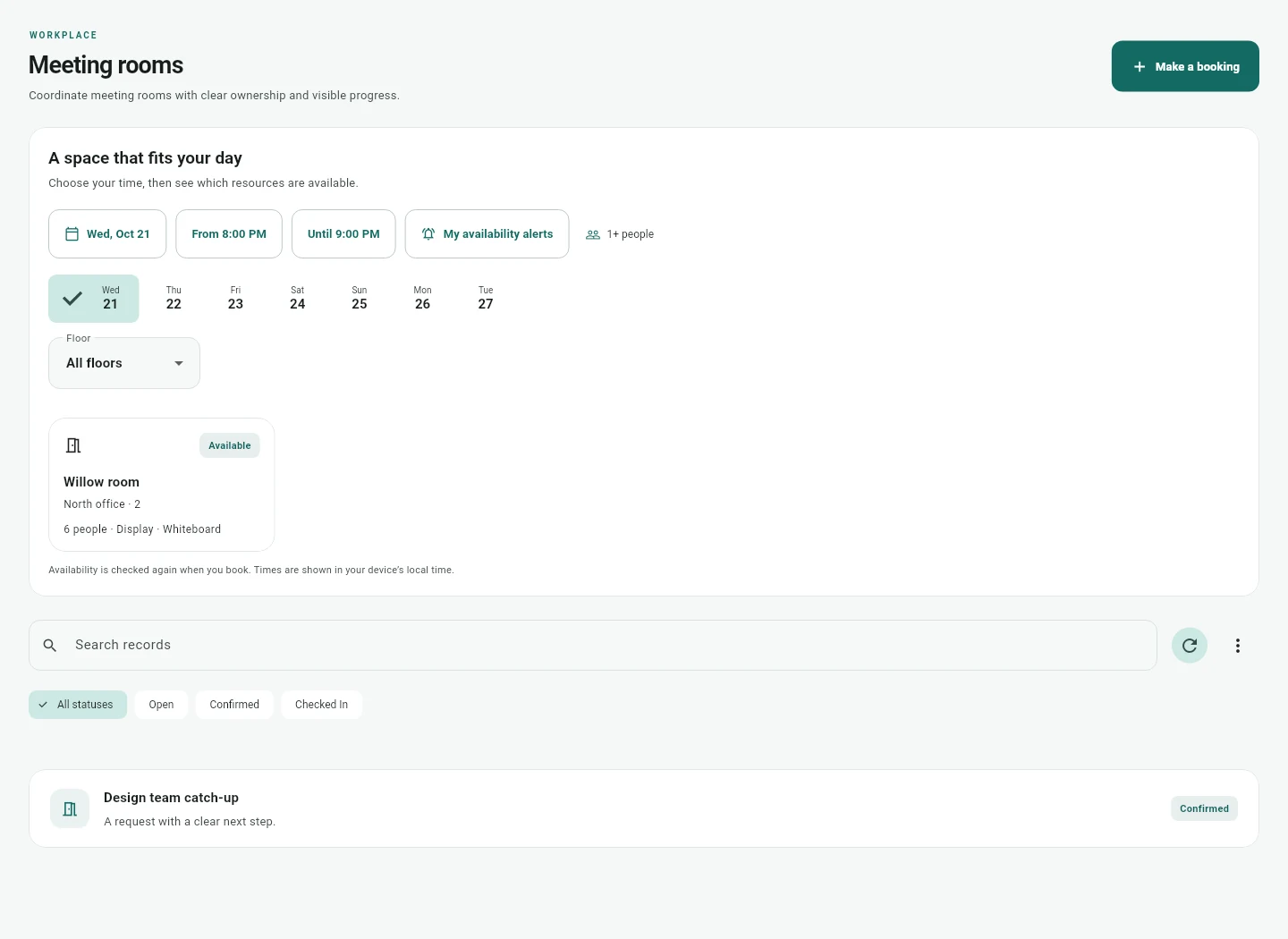
Capacity and equipment aware reservations, recurrence, setup buffers and explicit Google or Microsoft calendar publication.
What this helps you do
Keep the room booking and its visitor or service arrangements connected when plans change.
Available actions
Check in; Check out; Cancel booking; Release unused booking; Reschedule.
Scope to check: No room display hardware; calendar publication is distinct from resource mailbox acceptance.
Hybrid schedules
Office day plans, colleague discovery and explicit attendance confirmation.
What this helps you do
Reduce separate attendance spreadsheets and messages about who plans to be in.
Available actions
Confirm attendance; Cancel plan.
Scope to check: Plans are declared, not measured presence; no automatic desk placement.
Space planning
Draft seating maps, submit review, approve, publish and archive plans with capacity evidence.
What this helps you do
Keep the approved layout and its booking resources visible in the same product.
Available actions
Submit plan; Approve plan; Request changes; Publish plan; Archive plan.
Scope to check: No CAD/BIM, lease model, sensors or automatic real estate scenarios.
An office day with a client workshop
An employee records their office plan, checks the published seating map and reserves a desk. An organizer books a room with suitable capacity and equipment. Parking and other shared resources use the same reservation model, while each booking keeps its own availability check. A plan to attend is a declared intention; it is not a sensor measurement of physical presence.
Find the right resource
Filter by location, floor, capacity and amenities. Review the relevant booking policy and current availability before reserving.
Keep changes accountable
Use explicit rescheduling, cancellation and occurrence actions. Setup and cleanup buffers can protect a room while preserving attendee times.
Follow the commitments
Link guest and meeting service requests to the appropriate meeting occurrence. Material meeting changes flag those arrangements for reconfirmation.
Make the next action clear.
Keep the outcome verifiable.
Test the process
your people will use.
A feature list starts the conversation. A focused pilot checks the actual roles, accounts, exceptions and result.
Room booking is the start: coordinate visitors, catering and AV when plans change- Competing bookings leave only one committed reservation.
- Changing one recurring occurrence preserves the others.
- An unavailable room cannot receive a new reservation.
- Calendar publication and mailbox acceptance remain visibly separate.
Clear scope.
A useful next step.
Can we book desks, rooms and parking in the same app?
Yes. Atria has native modules for desks, meeting rooms, hybrid schedules and shared resources, plus space planning. Separate resource bookings are separate transactions; a desk and parking space are not an automatic all or nothing package.
Does Atria support repeating bookings?
Daily and weekly recurrence uses the selected time zone. Check in, check out, release and rescheduling apply to the appropriate occurrence so a change today does not silently remove a future booking.
Can Atria use Google or Microsoft calendars?
The calendar bridge supports bounded busy time snapshots and explicit publication, reconciliation and cancellation. It needs configured mappings and account permissions. It is not a universal automatic two way calendar sync.
Does booking a room mean the room mailbox accepted?
No. A native reservation, an external calendar publication and a resource mailbox response are separate states. The pilot verifies the behavior of the actual customer mailbox.
Does the app include occupancy sensors or CAD planning?
Atria has booking records, check in patterns and a seating plan workflow. It does not include sensor occupancy, CAD or BIM import, lease economics or automatic portfolio optimization.
How is workplace booking priced?
Atria pricing is a scoped quote. We agree resources, people, booking rules, calendar operations, implementation and support. Check existing Microsoft or Zoom entitlements before adding a subscription.